Chrome Assistant
The Hotel Quote Chrome Assistant is a Chrome extension that allows you to create quotes directly from your browser.
This means that whether you are using Gmail, outlook or other email clients, you can create quotes directly from the email thread.
How it works:
- Install the extension
- Click the extension icon in the toolbar and login with your Hotel Quote account (required only once). You can close the side panel.
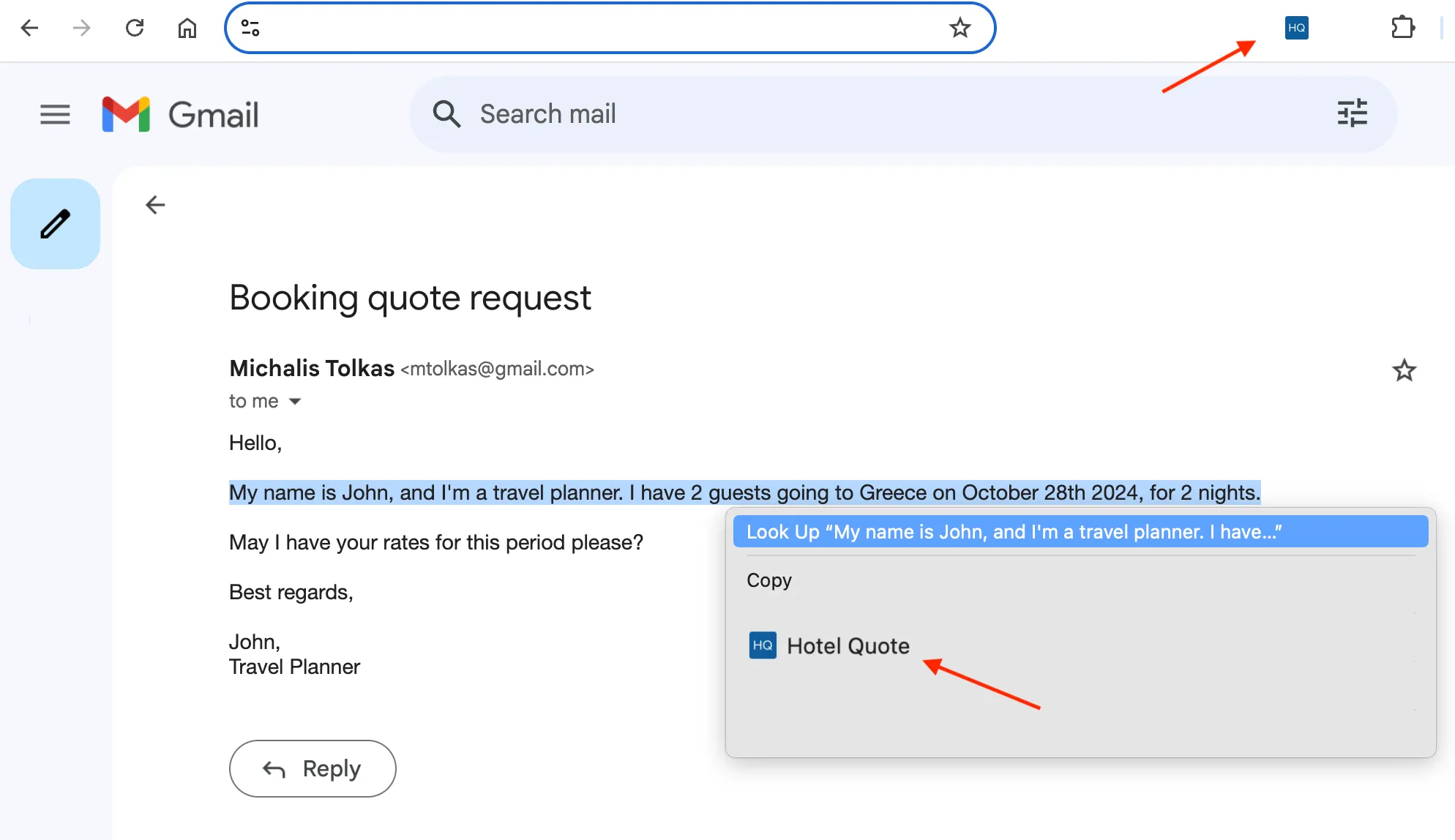
- Now, when an email comes in, select the text, right click, and click the Hotel Quote icon.
- The side panel will open where you can click Create Quote.
- Once the quote is created, click Edit Quote to open the quote in the Hotel Quote app and continue with the customisation.
Accessing the extension
You can access the extension by clicking the icon in the toolbar or by right clicking on the selected text and clicking the Hotel Quote icon.
Creating a quote
Create: 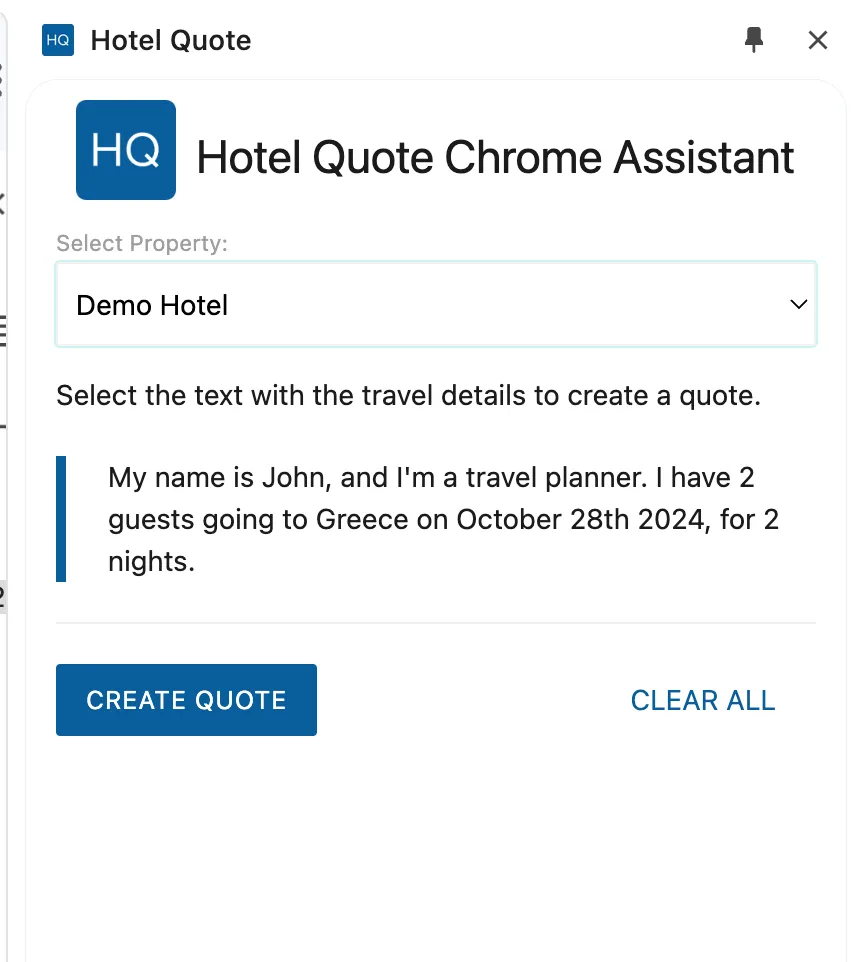 | Edit: 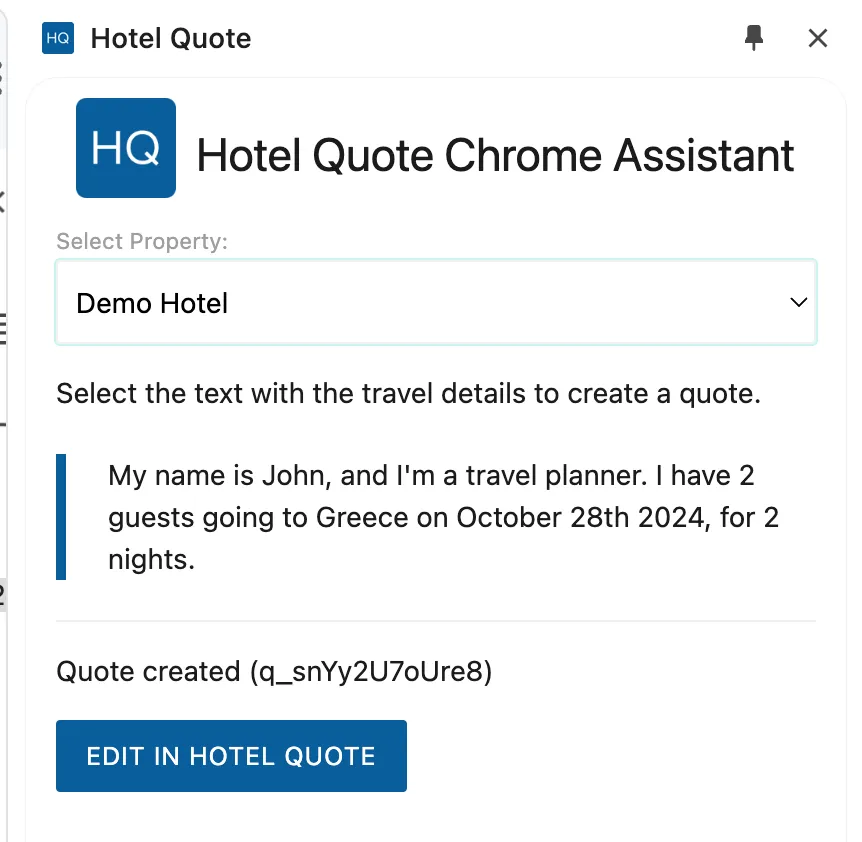 |